
Features
EncodeX is a cross-platform multimedia conversion tool that brings the power of FFmpeg to a modern, intuitive desktop interface. Built with Electron, React, and TypeScript, it lets you convert media between formats, extract audio, cut videos, and compress images — all through a clean, responsive UI with a batch queue, hardware acceleration, CLI mode, and full internationalization.
Media Conversion
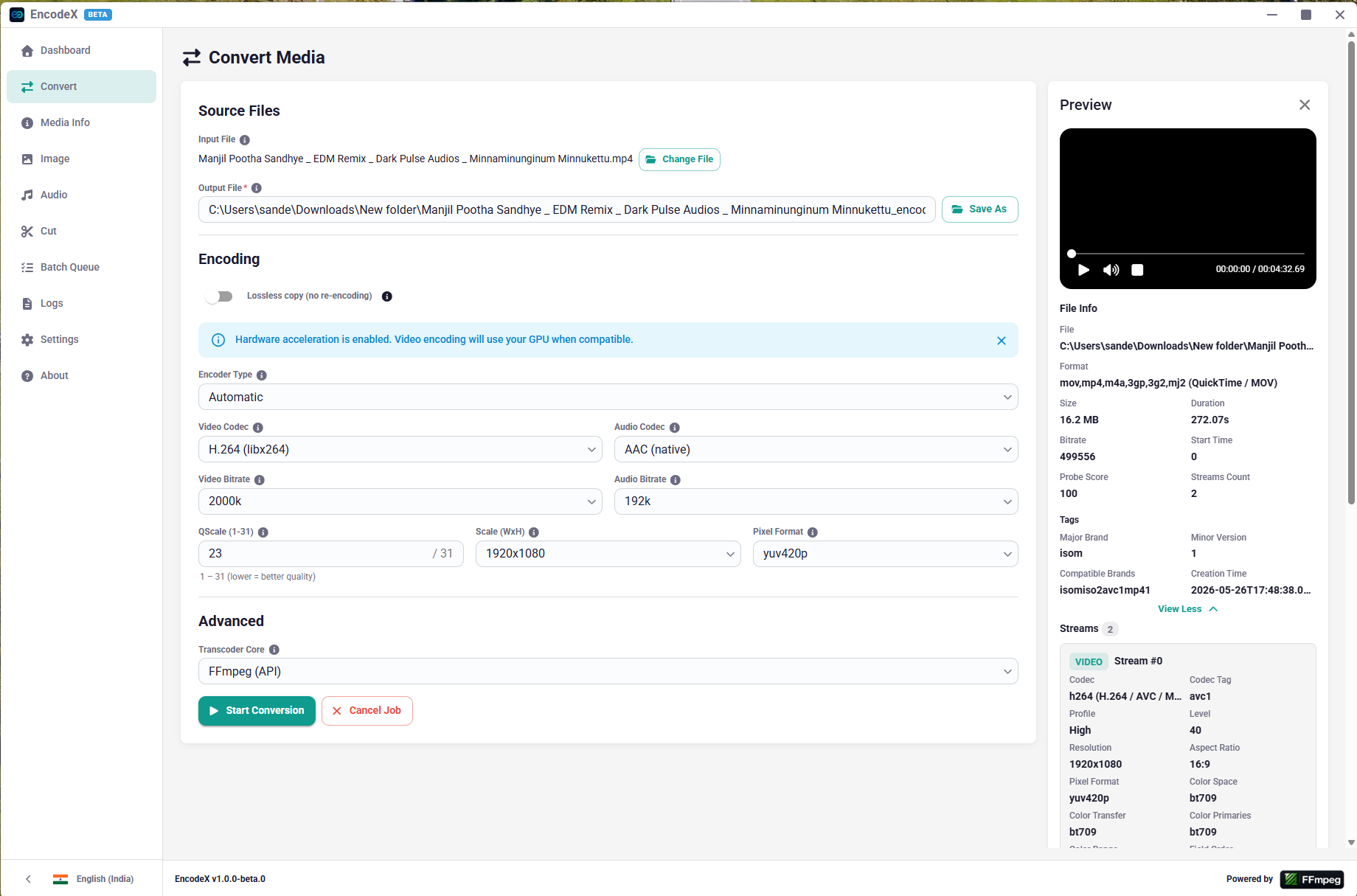
Convert between video/audio formats with granular controls over codec selection (51 video codecs across software and hardware encoder families, 27 audio codecs), bitrate, output resolution (with optional aspect-ratio preservation), pixel format (56 formats grouped by bit depth), quality scale (qscale), audio track inclusion, and transcoder core selection. Multiple files can be queued through the Batch Queue (see below).
Lossless Copy
Stream-copy video or audio tracks without re-encoding (-c copy). Useful for fast container format changes, remuxing, or when quality preservation is critical.
Hardware Acceleration
Hardware-accelerated encoding with auto-detection of available encoder families. Supports NVIDIA NVENC, Intel QSV, AMD AMF, VAAPI, Apple VideoToolbox, and Microsoft Media Foundation encoders. Acceleration can be toggled, with a mode selector — auto adds the matching FFmpeg -hwaccel flags for the selected hardware encoder family, encode relies on the encoder's own acceleration — and an encoder-type filter (auto / hardware / software) that narrows the video codec picker to all, GPU-only, or CPU-only encoders.
Media Information
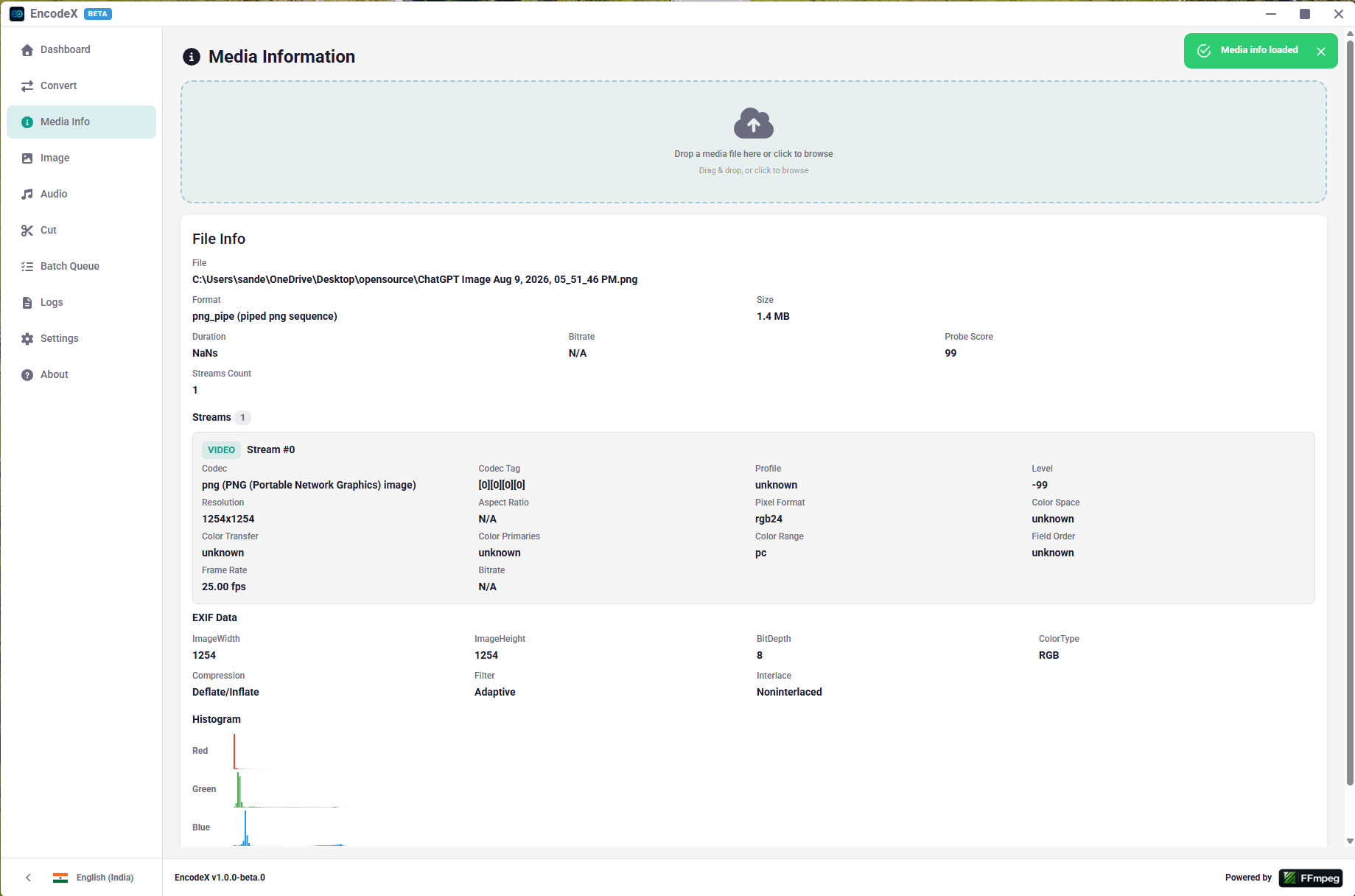
Probe media files and inspect detailed per-stream information: codec, profile, level, resolution, display aspect ratio, pixel format, bit depth, color range/space/transfer/primaries, frame rate, bitrate, sample rate, sample format, channel count/layout, duration, start time, frame count, language, and tags.
Image Compression
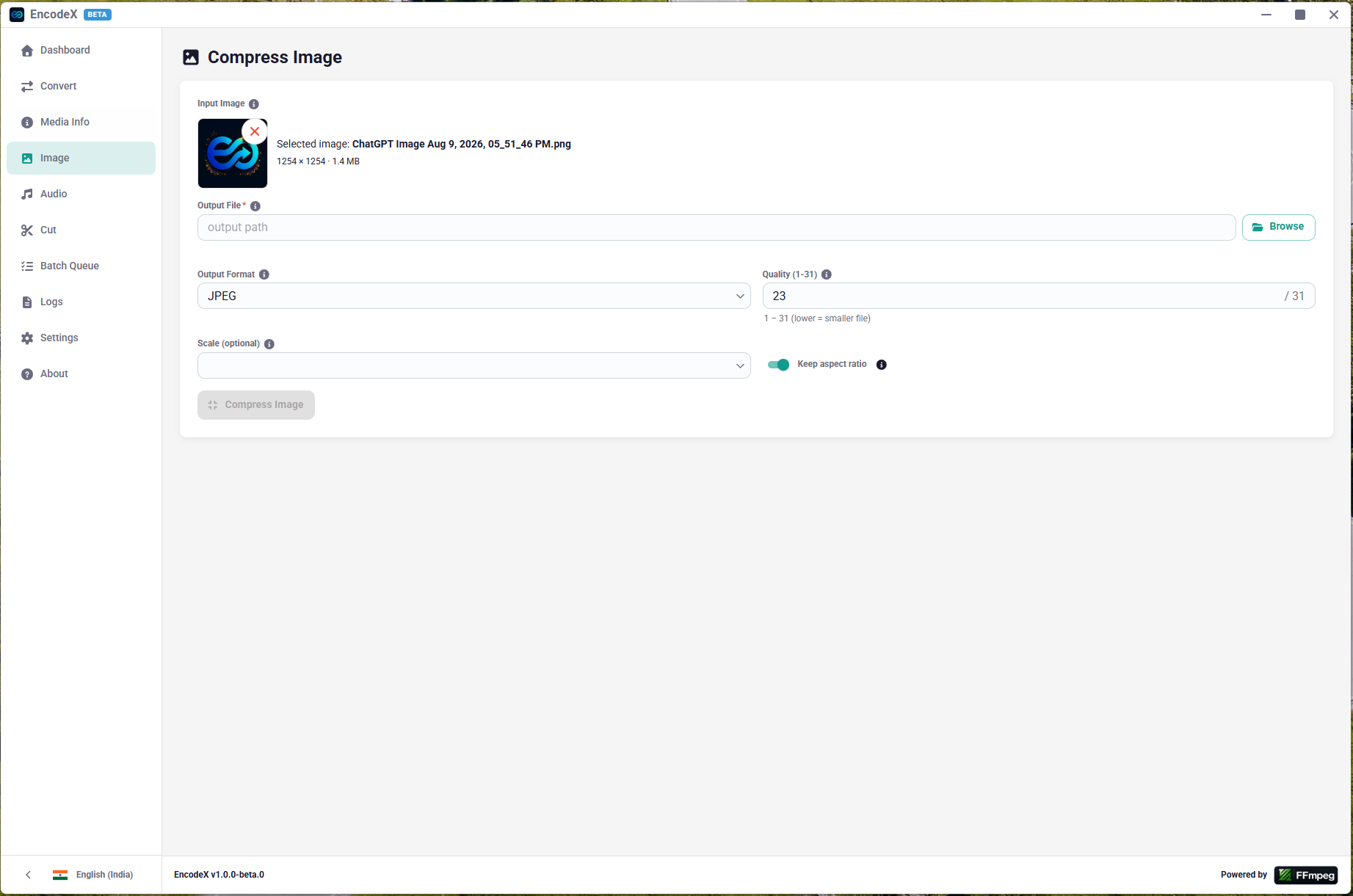
Compress images (JPEG, PNG, WebP, BMP, GIF, TIFF, PPM, PGM, PBM) with configurable quality scale and resolution scaling using FFmpeg's image codecs. Includes a live preview, a file-size readout, and — for JPEG/PNG/WebP inputs — a full EXIF metadata panel with RGB and luma histograms.
Audio Extraction
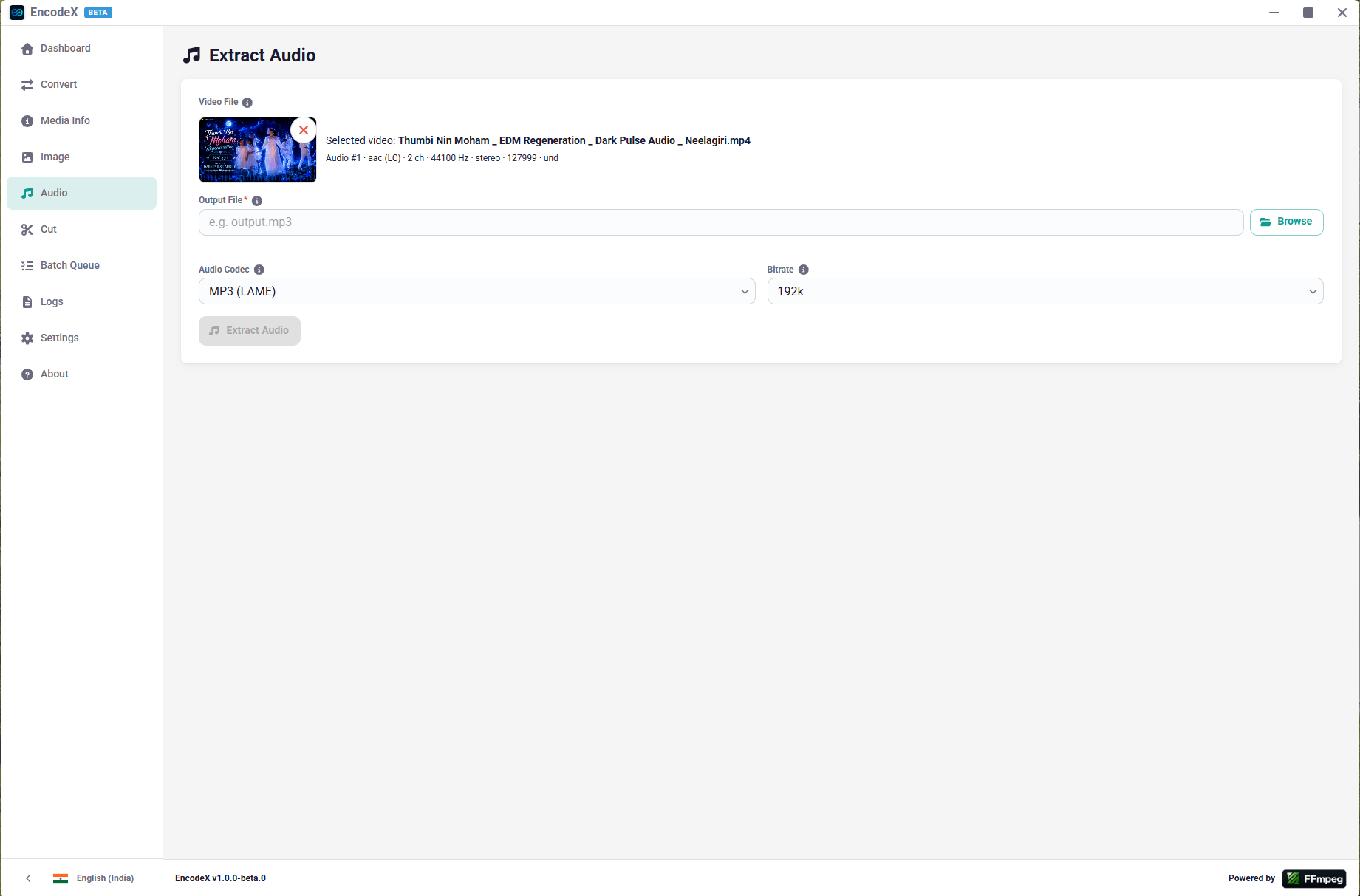
Extract audio tracks from video files. Output as AAC, MP3, AC3, FLAC, WAV, Vorbis, Opus, ALAC, or any of the 27 supported audio codecs. The source audio stream is selectable when multiple tracks are present.
Video Cutting
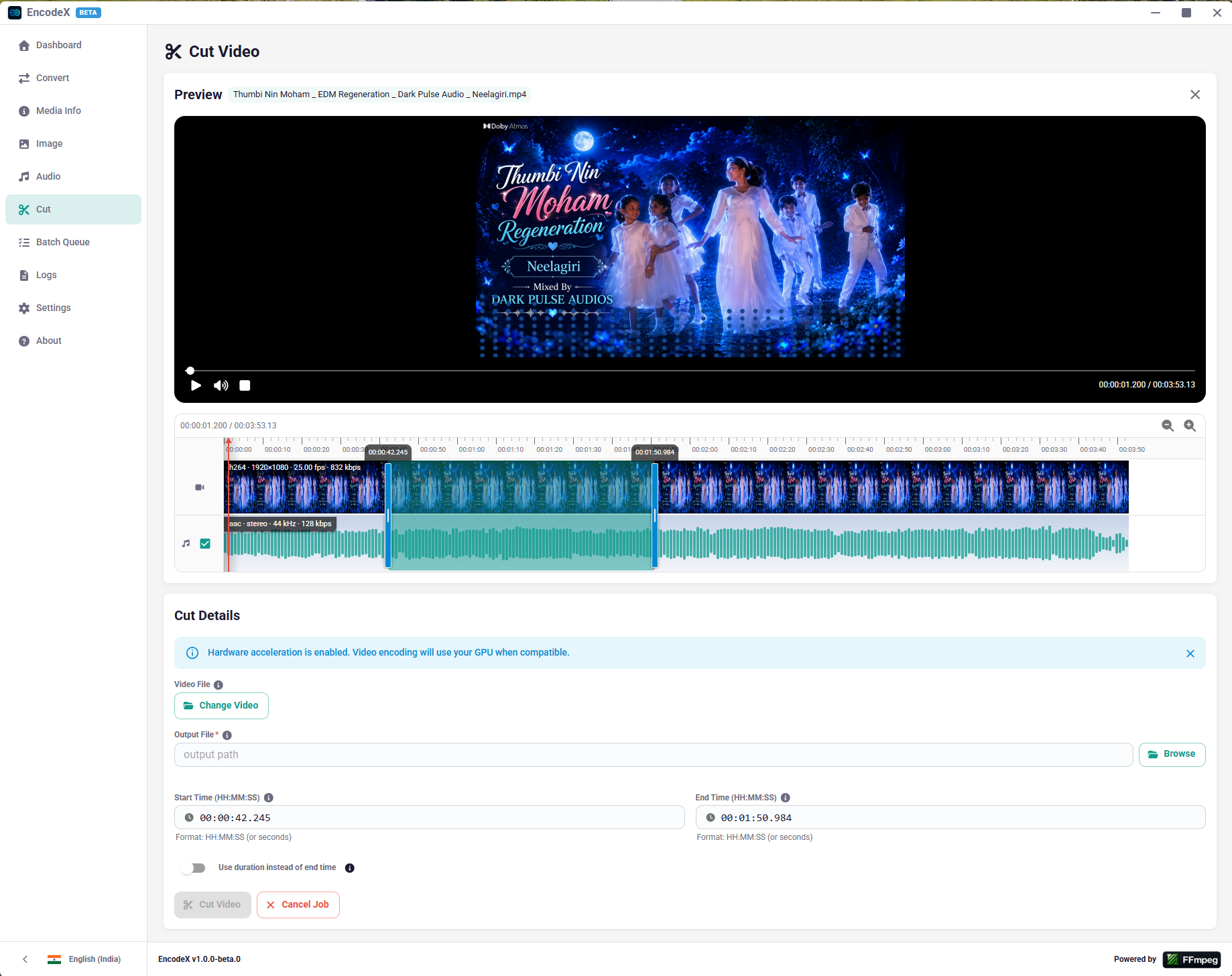
Preview and cut video segments with frame-accurate start/end time or duration selection. Includes a built-in player that decodes video frames (via an FFmpeg rawvideo pipe to an HTML Canvas element) and audio (via a separate S16LE PCM pipe converted to float and fed to the Web Audio API) in lockstep, with a zoomable multi-track timeline.
Batch Queue
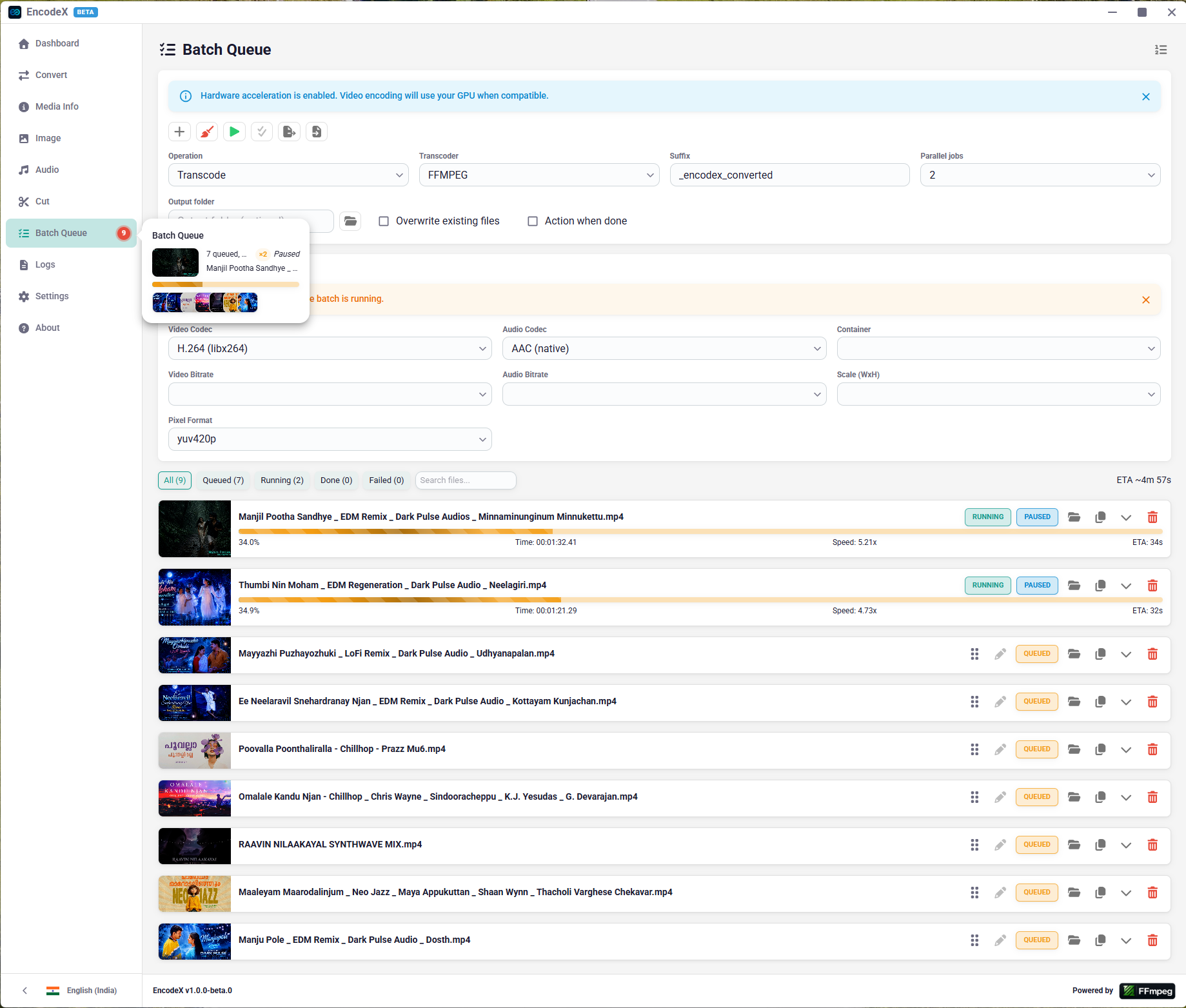
Process multiple files with configurable operations (transcode, extract audio, compress image). Jobs are added through a review dialog where output names and options can be adjusted before they enter the queue.
- Parallel processing — run up to 4 jobs concurrently; the concurrency cap is configurable at runtime and persisted.
- Queue lifecycle — start, pause, and resume the whole queue; cancel all; clear completed/failed jobs; remove individual jobs.
- Reordering — drag-and-drop reordering of queued jobs.
- Job editing — replace the options (and optionally the output path) of any queued job before it starts.
- Export / import — save the queue to a JSON file and re-import it later.
- Persistence — the queue snapshot (jobs + concurrency) is saved to
queue-state.jsonin the user-data directory and restored on startup. - Status filters — filter the job list by queued / running / done / failed, plus a focusable search field.
- When-done power actions — optionally shut down, sleep, or hibernate the machine when the queue drains (Windows honors a force-close flag).
- Live feedback — real-time per-job progress (percent, time, speed, ETA), per-job error handling, and a nav count badge showing outstanding work.
Multiple Transcoder Cores
- FFmpeg API — fluent-ffmpeg Node.js bindings with programmatic progress events
- FFmpeg CLI — direct CLI invocation via child process, no native bindings needed
- BMF Framework — BMF CLI tools for advanced pipeline scenarios (requires separate installation)
Settings
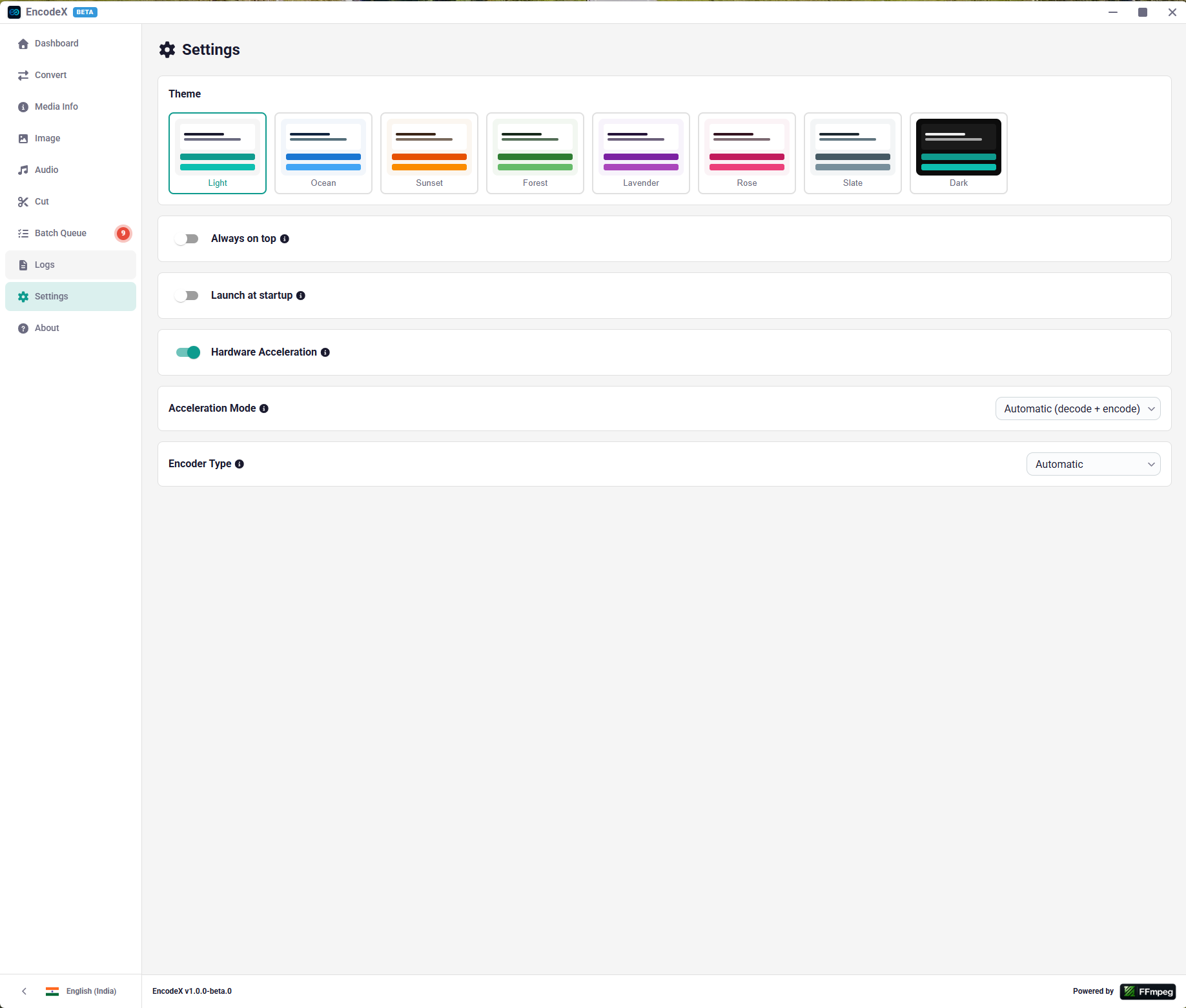
Dedicated settings page for theme, hardware acceleration (enable/disable, mode, encoder type), window always-on-top, launch-at-login, batch queue concurrency, and the when-done power action. Preferences persist to localStorage and take effect on startup.
Keyboard Shortcuts
A central shortcut registry defines 60+ shortcuts across nine sections. Ctrl+/ opens the in-app help dialog; Alt+1…Alt+9 jump between pages; Ctrl+O / Ctrl+Shift+S / Ctrl+Enter handle input/output/start consistently on every page. Chords are matched by event.code, so they work independently of keyboard layout.
Activity Blips & Job Popover
While a conversion, audio extraction, or video cut is running, a flashing blip appears on the corresponding nav row; the Batch Queue row shows a live count of outstanding jobs. Hovering (or keyboard-focusing) a blip opens a popover anchored to it with the job's status, source-file thumbnail, file name, and a live progress bar — plus a pile of pending-job thumbnails while a batch advances.
Close Confirmation
Closing the window while jobs are active routes through a confirmation flow: the main process asks the renderer, which shows a dialog listing active work before the close is confirmed. A splash screen is shown on boot while the main window loads.
Easter Eggs
On festival dates the Dashboard swaps the default app logo for holiday artwork — Christmas, Halloween, New Year, July 4th, Easter, Diwali, and Holi — each active for a 7-day window around its date (Diwali and Holi follow the Hindu lunisolar calendar).
Logs
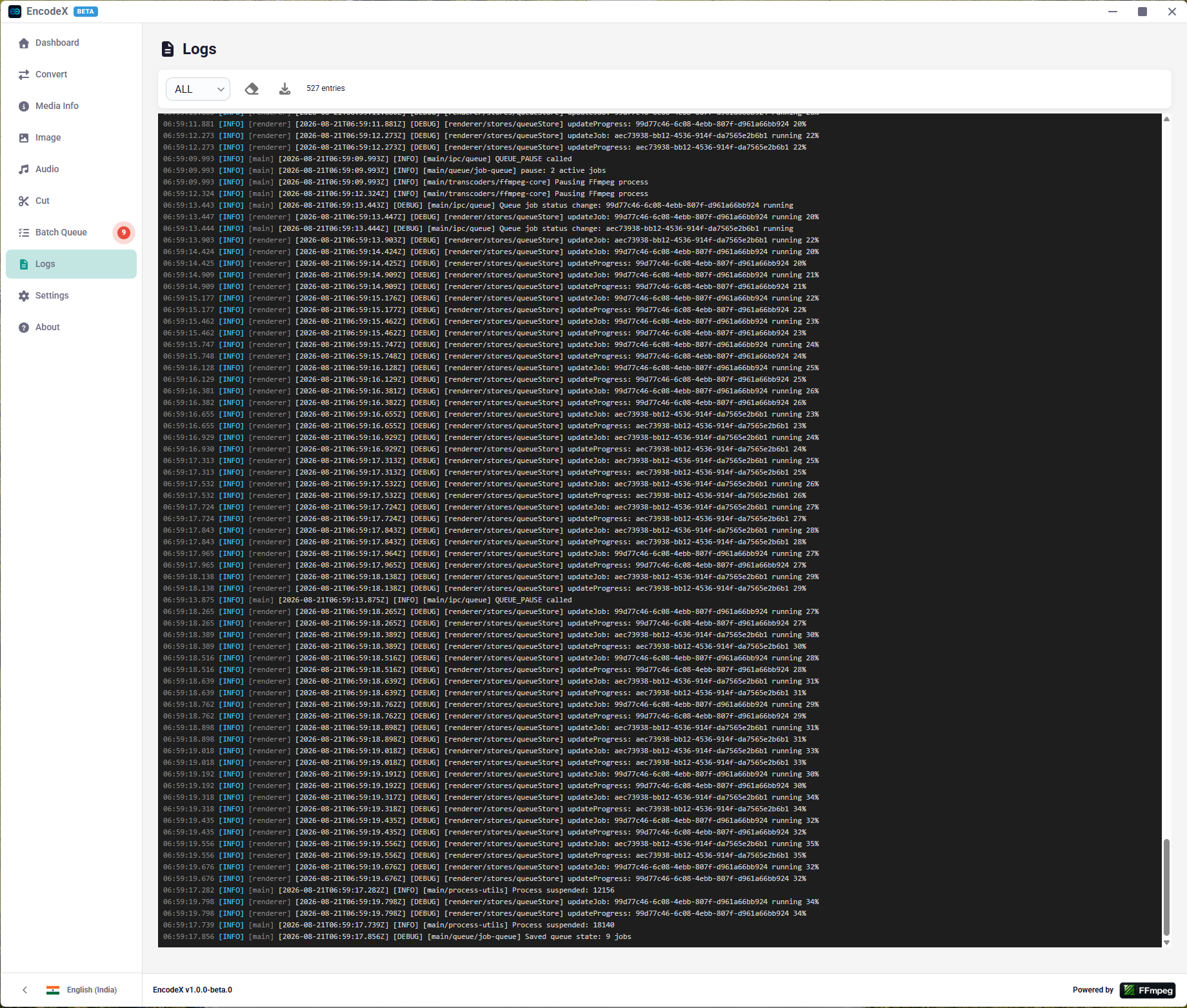
Live log viewer that aggregates console output from both the main and renderer processes over IPC. Supports level filtering (DEBUG/INFO/WARN/ERROR), clearing, and downloading the log as a .txt file.
Dark / Light Theme
System-aware theme detection with manual toggle. Theme preference persists to localStorage.
RTL Support
Right-to-left layout support for Arabic and Hebrew locales. Direction toggles automatically on language switch via an Emotion RTL style plugin.
Internationalization
56 locales across 35 languages including English, Spanish, French, Hindi, German, Italian, Dutch, Swedish, Norwegian, Portuguese, Ukrainian, Russian, Polish, Thai, Chinese, Japanese, Korean, Indonesian, Filipino, Afrikaans, Hebrew, Arabic, Nepali, Vietnamese, Finnish, Danish, and more.
In-App Updates
Custom update manager that checks GitHub Releases for new versions, notifies the user of availability, downloads the platform-specific installer (.exe / .dmg / .AppImage) in-app with real-time progress reporting, and launches the installer on completion.
Error Handling
Structured error system with typed error codes, user-facing localized messages, a global error snackbar, inline error banners, toast notifications, nested React error boundaries, and an in-app error history (cap 50).
Supported Media Formats
Video Codecs (51)
| Group | Codecs |
|---|---|
| Software (28) | H.264, H.265/HEVC, VP8, VP9, AV1, MPEG-4, MPEG-1, MPEG-2, Theora, JPEG 2000, WebP, ProRes, Huffyuv, FFV1, Ut Video, MJPEG, PNG, TIFF, VC-2, AVS |
| NVIDIA NVENC (3) | H.264, H.265, AV1 |
| Intel QSV (5) | H.264, H.265, MPEG-2, VP9, AV1 |
| AMD AMF (3) | H.264, H.265, AV1 |
| VAAPI (6) | H.264, H.265, MJPEG, VP8, VP9, AV1 |
| Apple VideoToolbox (4) | H.264, H.265, ProRes, VP9 |
| Media Foundation (2) | H.264, H.265 |
Audio Codecs (27)
| Group | Codecs |
|---|---|
| AAC / MPEG | AAC (native, FDK), MP3 (LAME, libshine), MP2 (libtwolame) |
| Dolby | AC-3, E-AC-3, TrueHD, DTS, MLP |
| Lossless | FLAC, ALAC, WavPack |
| Streaming | Vorbis, Opus, Speex, AMR-WB |
| PCM | s16le, s24le, f32le, s16be, u8, A-law, Mu-law |
| Windows Media | WMA v1, WMA v2 |
Input File Extensions
| Category | Extensions |
|---|---|
| Video | mp4, m4v, avi, mkv, mov, qt, flv, f4v, wmv, asf, webm, 3gp, 3g2, mpg, mpeg, mts, m2ts, ts, mxf, ogv, ogg, vob, divx, dv, rm, rmvb, h264, h265, hevc |
| Audio | mp3, aac, wav, flac, ogg, opus, m4a, wma, alac, aiff, aif, au, caf, pcm, mid, midi |
| Image | jpg, jpeg, png, webp, bmp, gif, tiff, tif, svg, ico, heic, heif, avif, ppm, pgm, pbm, xbm |
| Subtitle | srt, ass, ssa, vtt, sub, idx, smi |